Platform Guide
Account Dashboard
Navigate directly to the Account Dashboard using the designated field.
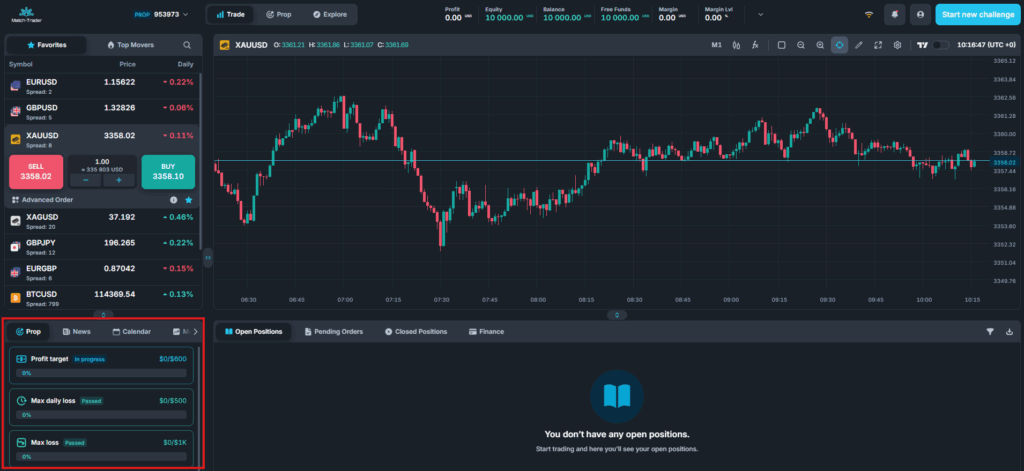
Profit Target
In Match-Trader’s prop trading system, the profit target is the predefined profit level a trader must reach to progress to the next phase or qualify for funding. This requirement ensures that traders demonstrate consistent profitability and sound risk management before advancing. The profit target percentage varies based on the challenge configuration, aligning with specific trading objectives.
Max Daily Loss
The max daily loss defines the maximum amount a trader can lose within a single trading day before violating the challenge rules. Match-Trader’s platform provides real-time monitoring of this limit, including a countdown timer that indicates when the daily loss limit resets. If breached, the account will fail the challenge.
Depending on the challenge configuration, the max daily loss can be calculated based on:
- Balance: Uses the account’s current balance, reflecting closed positions and realized profits or losses, to determine the daily loss limit.
- Balance/Equity: Uses the higher value between the current balance and equity, including unrealized profits or losses from open positions, at the time of the snapshot set in the CRM.
- Equity: Bases the daily loss limit on the account’s equity, accounting for open positions and unrealized profits or losses in real time.
- Initial Balance: Sets the daily loss limit relative to the account’s starting balance at the beginning of the challenge, unaffected by subsequent trading activity.
Max Loss
The max loss represents the total allowable drawdown on a trader’s account across its lifetime. It is always calculated from the initial balance. If cumulative losses exceed this limit, including losses on open positions, the prop challenge will fail. Match-Trader’s system dynamically tracks this threshold, ensuring traders remain within defined risk parameters while maintaining capital discipline.
Account Details
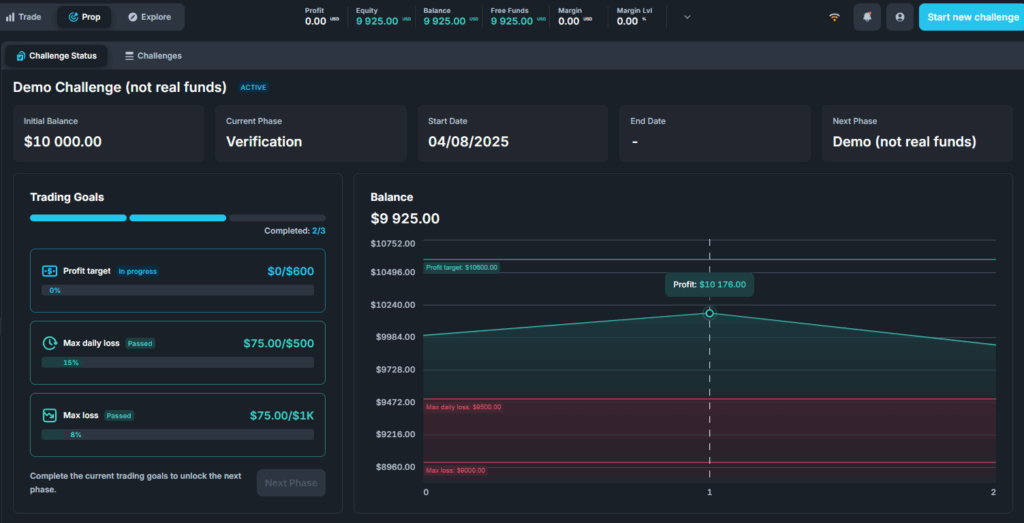
- Status: Displays the account’s status, such as Active, Failed, or Awaiting Payment.
- Initial Balance: The starting balance of the account.
- Current Phase: The client’s current phase, determined by the Phase Name set in Challenge Configuration and Phase Configuration.
- Next phase: Indicates the phase the client will progress to after completing the current phase. This is based on the Phase Name and total number of phases set in Phase Configuration.
- Start date: The date of the client’s first trade.
- End date: The deadline for completing the current phase, based on the trading period in Phase Configuration.
- Balance: A graphical representation of balance changes over time.
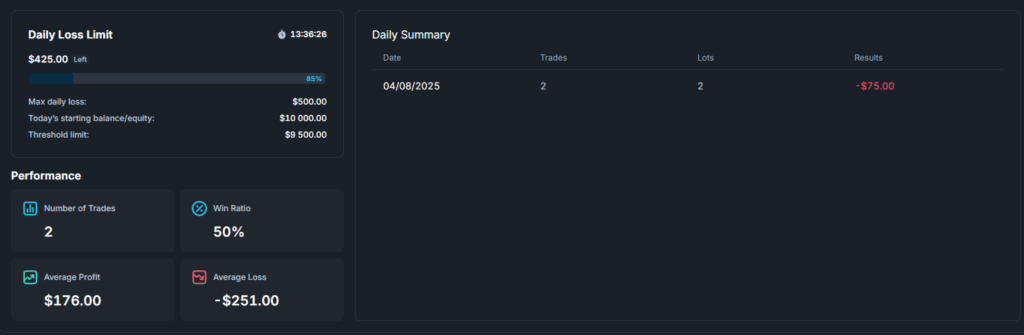
- Daily loss limit: The maximum daily loss allowed without violating the challenge rules. Clients can monitor their remaining loss allowance, accounting for open positions. A countdown shows the time until the next trading day, when the daily loss limit resets.
Daily loss limit details include:
- Starting balance or equity for the day.
- Threshold: the value at which the maximum loss rule is breached.
Statistics include:
- Number of trades.
- Average profit or loss per trade.
- Win ratio percentage.
Daily Summary
A detailed summary of trades, lots, and results for each day during the phase.
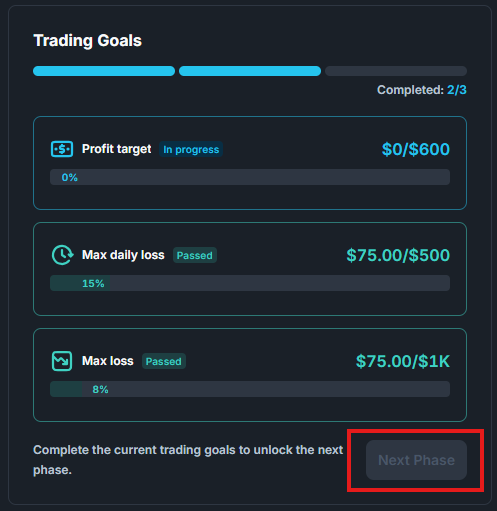
Trading Goals
If the client passes all Trading Goals and has no open trades, they can move to the next phase by selecting NEXT PHASE.
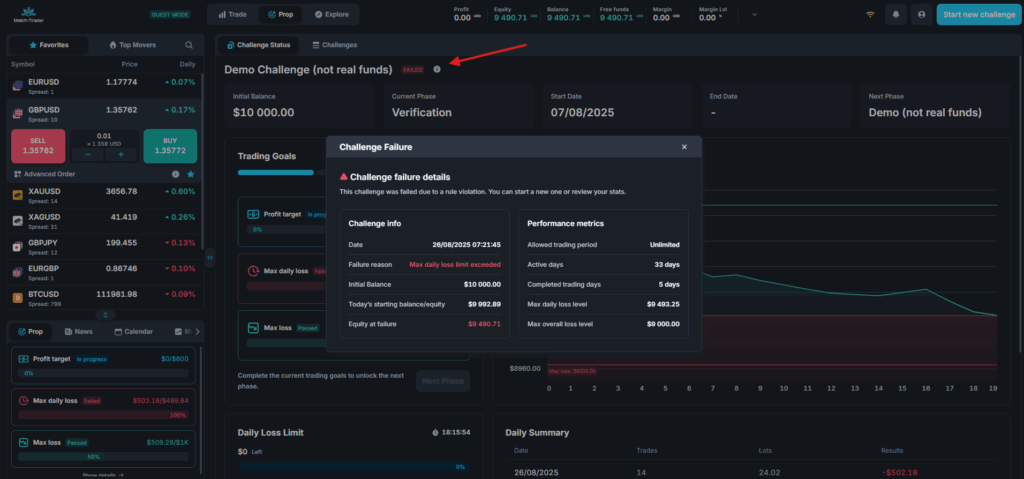
Account Failure Snapshot
This tool provides in-depth insights into a failed challenge, displaying key statistics that explain why and when the challenge failed.
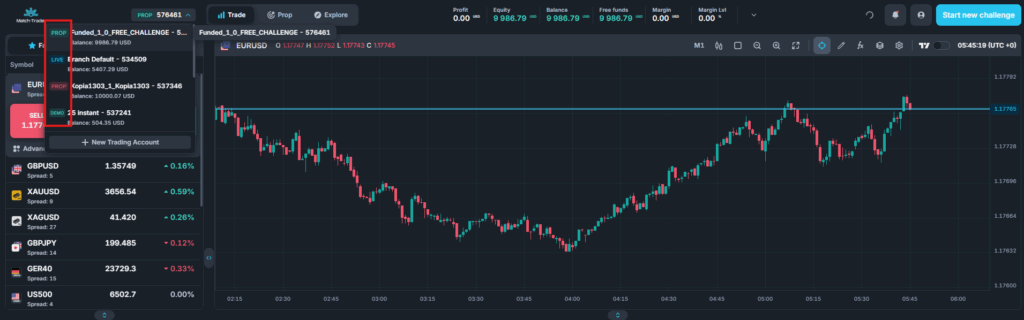
Account Statuses
View all accounts and their corresponding statuses at a glance:
- Active Account: Blue
- Active Funded Account: Green
- Failed Account: Red
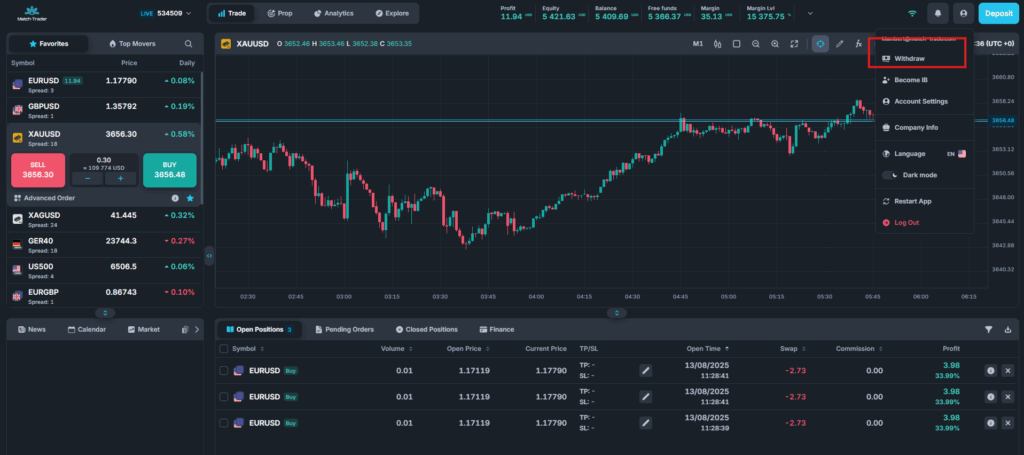
Withdrawal
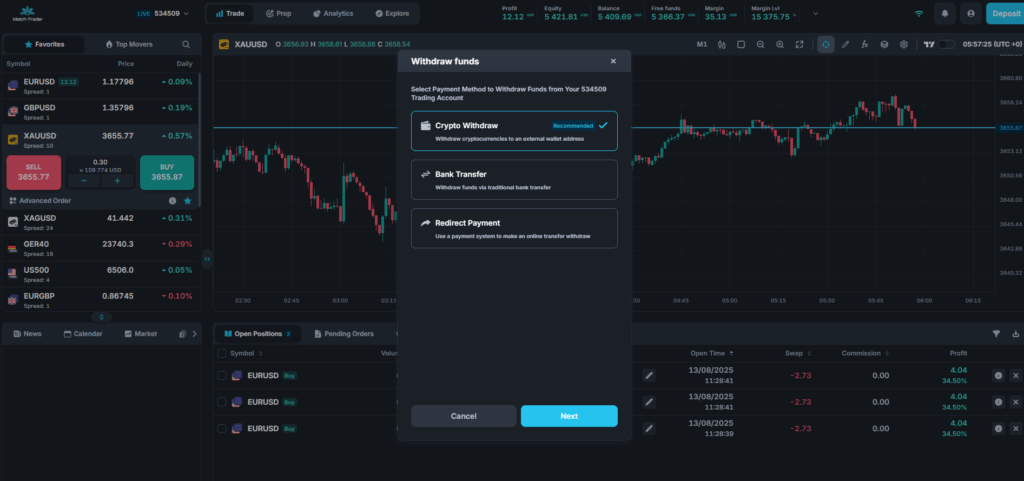
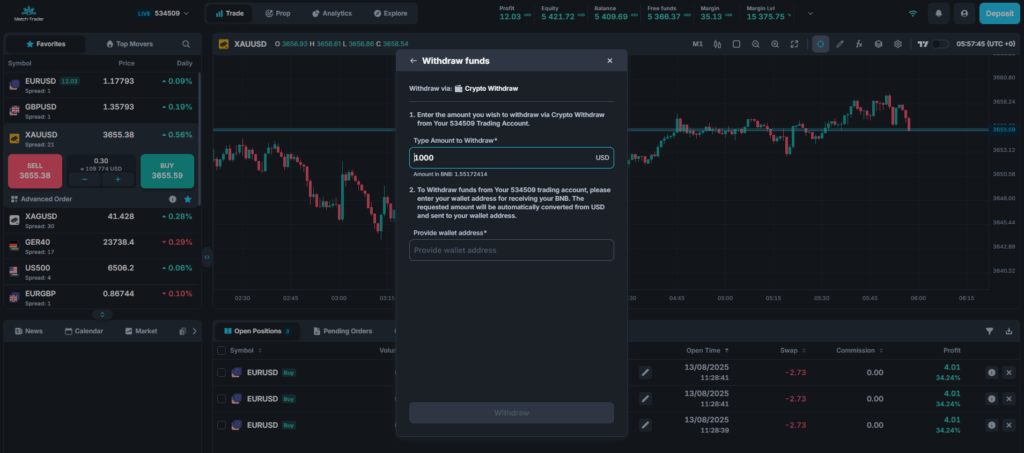
To request a withdrawal:
- Go to your profile.
- Select the withdrawal option and payment gateway.
The profit received will correspond to the profit split configured in the challenge settings, minus processing fees.
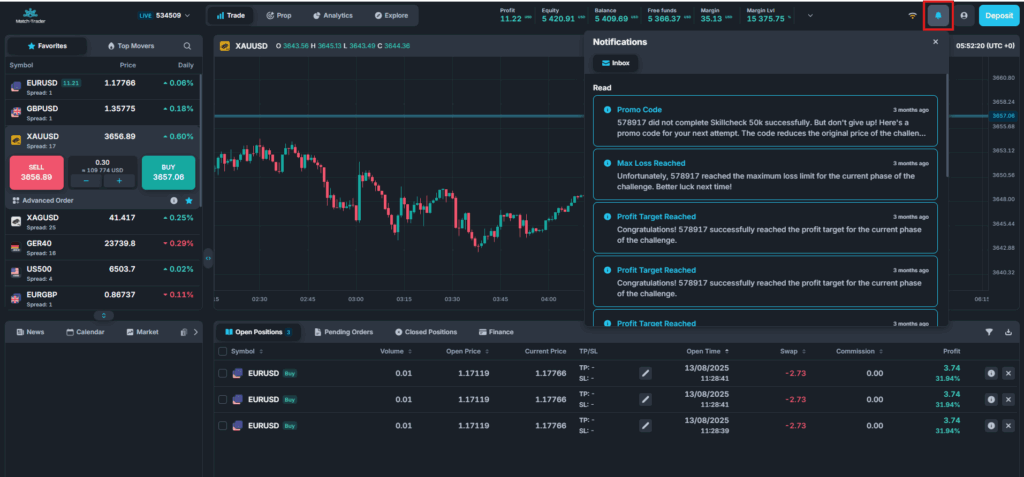
Notifications
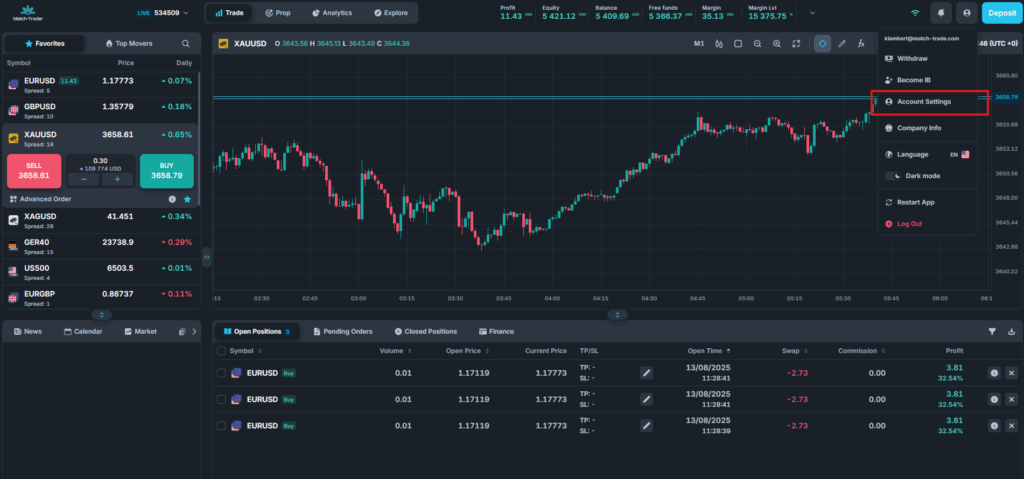
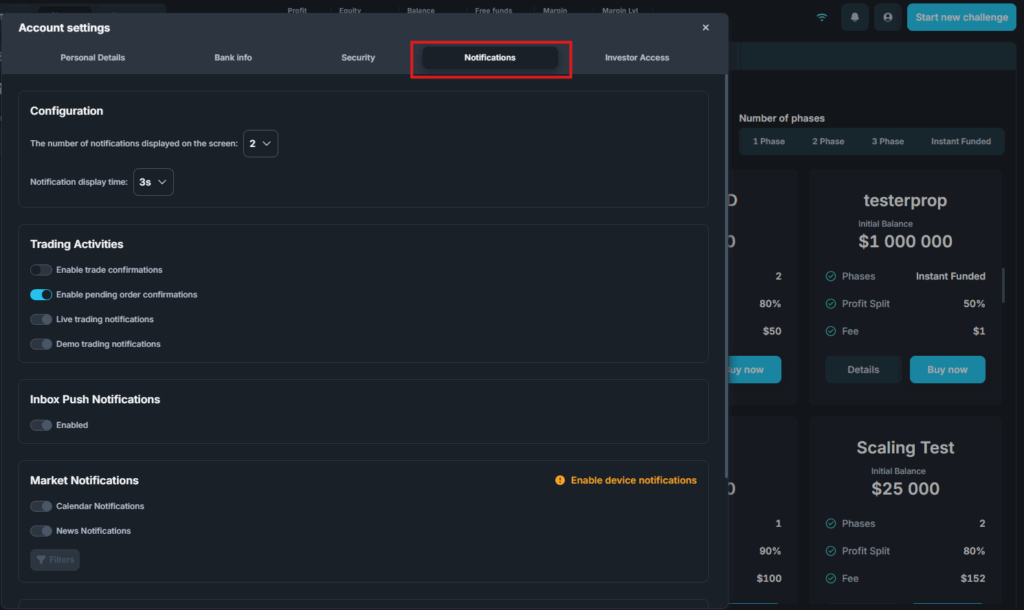
Enable Prop Trading Notifications in user settings to receive alerts for key events:
- Profit Target Reached: When the profit target is achieved.
- Trading Goals Passed: When the account can proceed to the next stage.
- Max Loss Reached: When the maximum loss is exceeded.
- Max Daily Loss Reached: When the maximum daily loss is exceeded.
- Trading Period Exceeded: When the trading period is exceeded.
Notification details can also be found under the INBOX tab.
Competitions
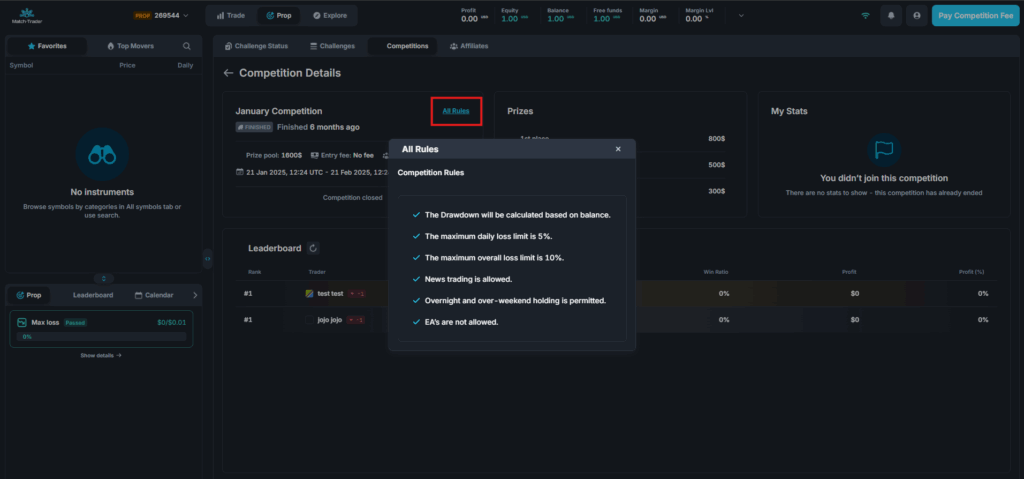
The Competitions tab provides information on current, upcoming, and completed competitions.
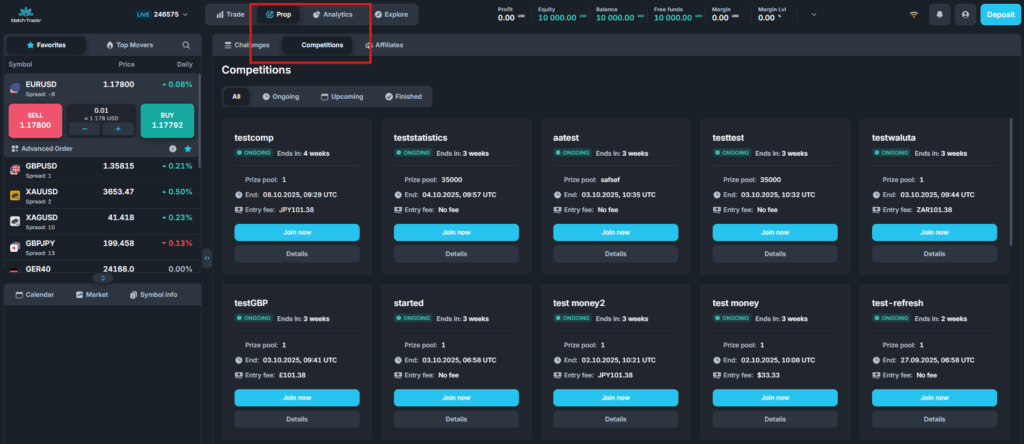
Key details include:
- Start Date: Competition start time in UTC+0.
- End Date: Competition end time in UTC+0.
- Prize Pool: Total available prizes.
Additional competition details, such as trading rules, are available under the Details tab. You can also view:
- Rank.
- Trader name.
- Number of trades.
- Win ratio.
- Profit and profit percentage.
In the Details tab, you can find additional information about the competition, including its trading rules.